
VIDEOS
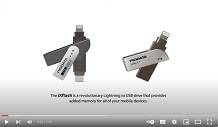
iXflash added storage and backup for iPhone, iPad, all mobile portable phone, tablet, & computers
Aug, 16 2023, 1:20 min, Alhambra, CA
The iXflash provides added storage and critical backup capabilities for Apple iOS iPhone and iPads through its intuitive easy to use Apple App. The iXflash allows the user to quickly backup photos/videos, play movies and music, store and review files, record video and take pictures, all without using your iPhone or iPad's internal memory. Plus, it can work with PC and Mac computers as well as Android phones and tablets.
The iXflash is like a portable hard drive for your cell phone while having the ease and convenience or a USB drive. With the iXflash free Apple App, there's so much more you can do.

iXCharger 65W of Power + up to 1TB Storage that works with iPhone, Android, MacBook, PC, Chromebook
Aug, 08 2023, 1:04 min, Alhambra, CA
The iXCharger is the first of its kind combination power and storage cube. Not only does the iXCharger offer a 65W PD Fast Charging capability that supports most PC laptops, MacBook, Chromebook, iPhone/iPad, as well as Android cell phones and tablets, but it also contains up to 1TB of memory storage that also works with all those platforms as well. That makes the iXCharger the only device in the world that can charge and work as an external hard drive for nearly all portable computers, cell phones, and tablets
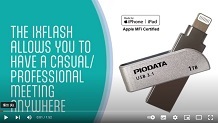
The iXflash has the ability to give presentations anywhere and film video with little memory
Jan, 26 2023, 1:52 min, Alhambra, CA
No matter where you are, as long as you have an iPhone or iPad and the iXflash, you can give a professional presentation. Meet clients anywhere anytime and always be prepared! Plus, you can film video with the iXflash that won't use any of the memory from your iPhone or iPad. While you're filming, you can pause and restart your video, allowing you to continuously film and edit on the go. The iXflash is your all in one iPhone and iPad accessory.
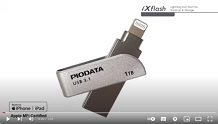
iXflash allows you to listen to music when you have no internet and can't access streaming sites
Dec, 10 2022, 1:09 min, Alhambra, CA
If you want to listen to music but don't have internet access and can't access your streaming service, load music onto the iXflash that you can load onto your iPhone or iPad anytime. That way, you can create your own playlists and always have access to your music to listen when and wherever you want.
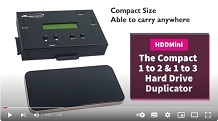
The benefits of the HDDMini, highlighting easy to use features
Aug, 04 2022, 1:43 min, Alhambra, CA
The Vinpower Digital standalone HDDMINI hard drive duplicator is the perfect solution for those that need to make back-up or residual clones of their master hard disk drive / solid state drive (HDD/SSD) content. The sleek compact light portable construction of the HDDMINI allows the user to take it anywhere and make quick and reliable clones of nearly any HDD/SSD using virtually any OS platforms, such as Unix, Linux, Windows, or Macintosh. The HDDMINI supports FAT16/32, exFAT, NTFS, HFS+ and ext2/3/4 file systems. Using the HDDMINI gives you piece of mind that each HDD/SSD will be copied accurately and quickly for a no hassle, low cost alternative to performing this task 1 at a time through a computer. Plus, the fact that the HDDMINI is so easy to transport, you’ll never have to worry about leaving this indispensable IT tool behind. Additionally, the HDDMINI performs the important Quick Erase and/or Full Erase options, but it can also erase the HDD/SSD up to the high government DoD 5220.22-M standards which ensure there will be no trace of the content left behind.
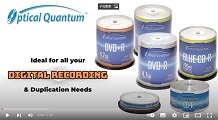
Optical Quantum best recordable optical discs for duplication
Jul, 15 2022, 1:59 min, Alhambra, CA
Optical Quantum provides the highest quality recordable optical media with the best value for the consumer. To meet the demands of the blank media market, Optical Quantum provides a variety of recordable CD, DVD, and Blu-ray discs to choose from.
Optical Quantum was specifically made for the duplication market when high volume reproduction is critical. Visit www.opticalquantum.com for more details.

Never miss a memory with the iXflash Cube
Jan, 04 2022, 1:03 min, Alhambra, CA
The iXflash Cube is the ultimate backup solution for Apple iOS devices, like the iPhone & iPad. It’s available with either a USB type A or type C connection. The type C connection allows for fast charging capability. Once connected, the iXflash Cube, with the FREE iXflash Cube APP, will automatically backup all of the photos and videos from an iPhone/iPad while charging the iPhone/iPad at the same time. That way you can ensure that your iPhone or iPad will be recharged and have it perform a critical backup of all images and videos at the same time. All the content stored on the iXflash Cube can be transferred to a PC or Mac, another mobile device, or virtually any storage device with an active USB connection. Plus, if you ever lose those images or the device the images were on, the iXflash Cube can restore all the backed up images with the original file names, dates, formats, and sizes, as if you never lost them.
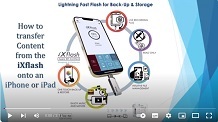
How to easily transfer images, videos, music and data files from an iXflash onto an iPhone or iPad
Nov, 03 2021, 2:15 min, Alhambra, CA
Want to load your favorite movie or songs onto your iPhone but don't know how? Need to take work files on the road but don't want to lug your laptop with you? The iXflash can make it easy and fast to load nearly any type of file, including videos, pictures, music, Word, Excel, PDF, and much more onto an iPhone or iPad. This video shows that within seconds you can transfer content stored on an iXflash drive onto an iPhone or iPad and still view, listen, and edit these files from your iPhone or iPad.
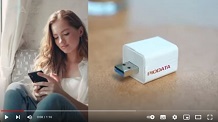
The iXflash Cube: Backup your iPhone and iPad while it's charging to give you peace of mind.
Sep, 14 2021, 1:16 min, Alhambra, CA
The iXflash Cube is the ultimate backup solution for Apple iOS devices, like the iPhone & iPad. It’s available with a fast charging USB type A or type C connection. Once connected, the iXflash Cube, with the FREE iXflash Cube APP, will automatically backup all of the photos and videos from an iPhone/iPad while charging the iPhone/iPad at the same time. That way you can ensure that your iPhone or iPad will be recharged so you can perform a critical backup function. All the content stored on the iXflash Cube can be transferred to a PC or Mac, another mobile device, or virtually any storage device with an active USB Type A connection.
Superior printing quality of PLEXDISC's white inkjet printable media
Jul, 30 2021, 1:30 min, Alhambra, CA
PlexDisc recordable CD media is made in Taiwan for superior quality and performance. They are perfect for recording audio, data, games, and more. The PlexDisc recordable CD media is affordable and works in a wider array of duplication and recording devices compared to cheaper, less reliable media options.
Plus the white inkjet printable surface works across all known optical disc inkjet printers providing a vibrant printed image that can cover the entire disc surface to the center hub. The colors are more colorful and the Black is more pronounced with the PlexDisc 52x 700MB White Inkjet Hub Printable CD-R media.
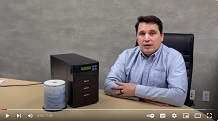
How to use a 1 to 3 PlexCopier CD DVD Duplicator
Jul, 29 2021, 1:33 min, Alhambra, CA
The PlexCopier series is a standalone SATA DVD/CD duplicator. The PlexCopier series is not only economical but also offers truly reliable duplication with an easy to use interface. The easy to operate control panel and intuitive features make the system perfect for nearly anyone. These units are truly strong performing systems at a more affordable price point to meet the users growing demands without exceeding their budget.
Plus, the PlexCopier series offers the ability to add COPY PROTECTION for DVD video for free when using Optodisc DVD media, as an added bonus. Whether you are buying a duplicator for the first time or you are an experienced user, the PlexCopier series of duplicators will grow with your needs and experience. Perfect for the novice user, the professional or anyone in-between, so pick one up today.
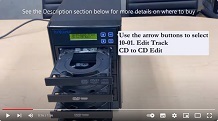
How To Create a Mix Edit Audio Compilation CD with a PlexCopier CD DVD Duplicator
Jul, 28 2021, 1:56 min, Alhambra, CA
The PlexCopier CD DVD Duplicator allows you to make mix track audio compilation CD's with ease. Create your own mix tapes and make as many copies as you'd like. Watch the video to see how easy it is.
Play movies through the iXflash App
Aug, 10 2019, 1:25 min, Alhambra, CA
The iXflash App allows you to store and playback movies and videos, even allowing simple finger gestures to fast forward, rewind, pause, and even adjust the volume. With the ability to playback even ultra Hi-def 4K video across multiple formats, the iXflash App offers the easiest way to watch movies on your iPhone or iPad.
With the iXflash storage drive, with capacities up to 512GB on a small USB thumb drive size, you can keep an array of movies that you can easily use its Lightening connection to load onto your iPhone or iPad, like a traveling library of movies, instead of using up the iPhone or iPad's internal memory. Because you never need internet or the cloud to access your stored movies, the iXflash and the iXflash App are your perfect companions for storing and watching movies anywhere, anytime.
The iXflash App is able to play audio formats not supported by Apple's iOS on an iPhone and iPad
Aug, 08 2019, 1:00 min, Alhambra, CA
The iXflash App enables iPhone and iPad users to store and play a wide variety of music formats, like mp3, wav, aac, etc. Beyond the common formats, it can also playback MPEG4 and the lossless, flac format that is not supported by Apple's iOS. The flac format provides compressed audio without any loss in quality, unlike more traditional compressed files like mp3.
If you want the ability to listen to the best quality audio, like the flac format, through your iPhone or iPad, the only way to do so is using a 3rd party App, like the FREE iXflash App. Since the iXflash App is free and offers many other features beyond the incredible audio file playback capability, there's no reason to use anything else.
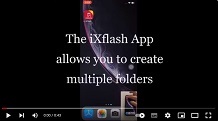
Open non-native iOS files on an iPhone or iPad through the iXflash App
Aug, 08 2019, 0:43 min, Alhambra, CA
Using the free iXflash App, allows users to open a wide variety of files on their iPhone and iPads, even if those files are not typically supported by Apple's native iOS. The iXflash App allows users to open or create condensed zip, win zip, rar, and similar type files, which an iPhone or iPad cannot perform on its own. You can open and create the zip type files with password protection as well. In addition, the iXflash App can easily open other common files like Excel, Word, PowerPoint, and many others. The iXflash makes it easy to open nearly all file types available today.
Standalone Printer Controller from Vinpower at NAB
Apr, 09 2014, 57 sec, Las Vegas, NV
Vinpower Digital's standalone printer controller allows the user to store & print numerous print files through multiple different disc printers without using a computer. This video shows how easy it is to use & how convenient the Vinpower Standalone Printer Controller would be for any organization or company that relies on volunteers or staff to perform these duties.
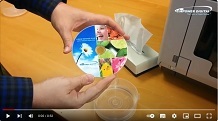
Blu-ray Liquid Defense Plus from Vinpower
Mar, 27 2014, 0.52 min, Alhambra, CA
Vinpower's Liquid Defense Plus is available in the Blu-ray format in addition to CD and DVD. Just like the CD and DVD versions, the BD-R Liquid Defense Plus has a glossy vibrant printed image and is also just as water & scratch resistant. Unlike other water resistant media that's only available in CD or DVD formats, Liquid Defense is available in Blu-ray and other formats not available from other suppliers.
Blu-ray Liquid Defense Plus from Vinpower
Mar, 25 2014, 51 sec, Alhambra, CA
Vinpower's Liquid Defense Plus is available in the Blu-ray format in addition to CD and DVD. Just like the CD and DVD versions, the BD-R Liquid Defense Plus has a glossy vibrant printed image and is also just as water & scratch resistant. Unlike other water resistant media that's only available in CD or DVD formats, Liquid Defense is available in Blu-ray and other formats not available from other suppliers.
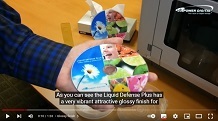
Liquid Defense Plus vs Standard Inkjet Printable Disc
Mar, 14 2014, 1:33 min, Alhambra, CA
This video shows the many advantages of Vinpower Digital's Liquid Defense Plus inkjet printable media in comparison to common standard inkjet printable media. The video shows how the Liquid Defense Plus has a vibrant glossy finish that does not come off or bleed when it comes in contact with moisture, whereas the standard inkjet printable media has a flat dull appearance that is virtually ruined when it gets wet. The standard inkjet printable media's printed image will bleed and come off the disc easily, leaving a streaky and discolored image.
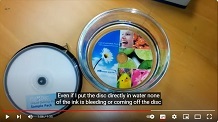
Liquid Defense Plus - Glossy, Water Resistant CD-R, DVD-R Blu-ray BD-R Media
Feb, 28 2014, 1:35 min, Alhambra, CA
Liquid Defense Plus is a special water and scratch resistant inkjet printable coating applied to a whole range of recordable CD's, DVD's and Blu-ray discs. It works on all known optical disc inkjet printers and gives printed discs a very vibrant color with a high gloss finish. The Liquid Defense Plus disc is water resistant, scratch resistant and resists fading, whereas regular inkjet printable discs will bleed or smear when wet, easy to scratch and has a muted matte finish when printed. The Liquid Defense Plus application is an actual coating that is applied during the media manufacturing process. It is not a sticker or label that is applied after the fact like other less reliable inkjet printable discs, which claim to be water resistant and glossy.